
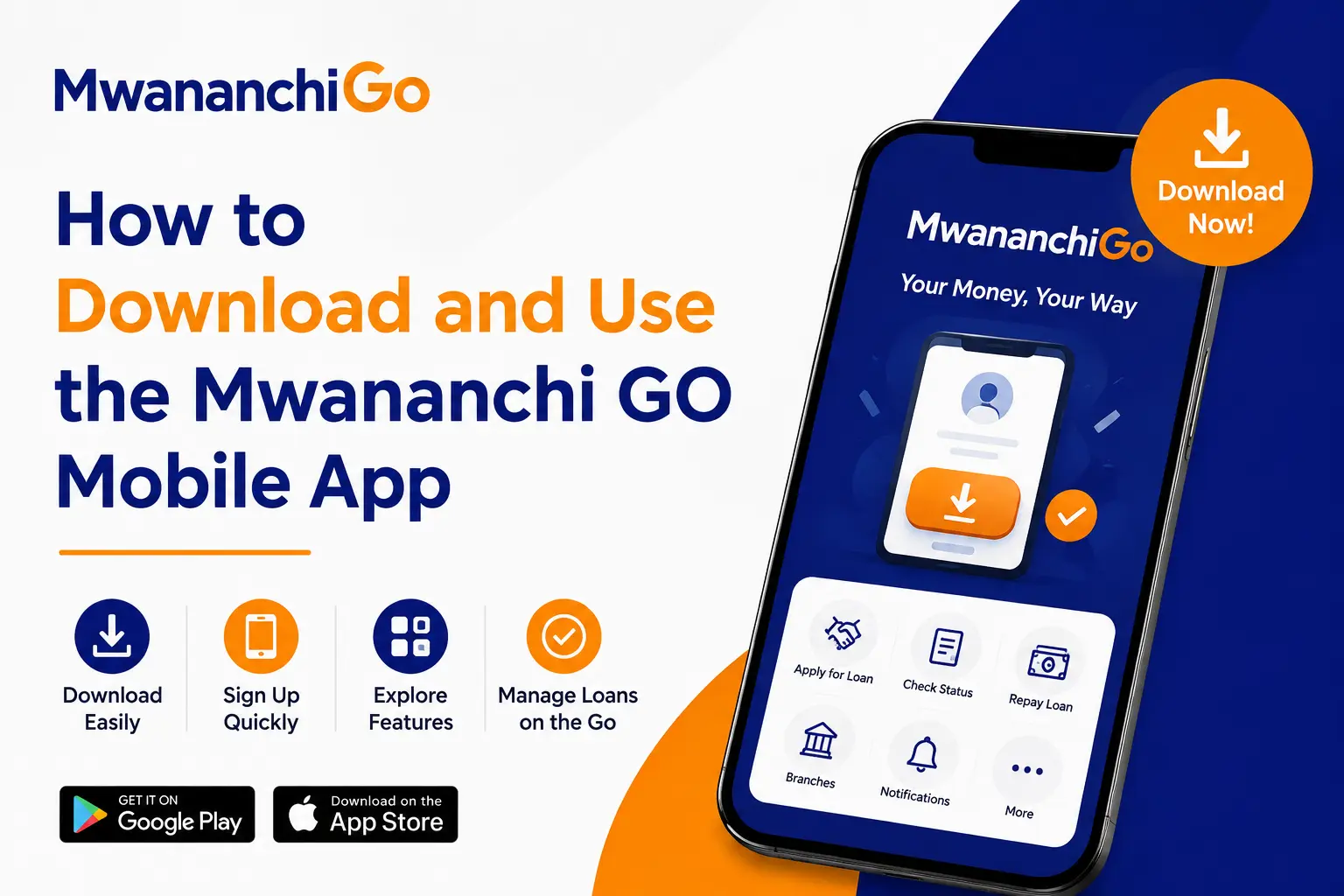
How to Download and Use the Mwananchi GO Mobile App
Step-by-step process of downloading Mwananchi Go, registration, checking your loan limit, applying for a loan and repaying a loan on your mobile phone.
With MwananchiGo, loan applications in Kenya are streamlined and quick, without the need for collateral. The first step is downloading the app. Next, you register, and you are instantly scored. Then you apply for a loan. Lastly, you pay back using M-Pesa. This guide will take you through each step, and you will know what to expect.
What Is MwananchiGo?
MwananchiGo is a mobile loan application by the Central Bank of Kenya (CBK) licensed lender, Mwananchi Credit Limited. It also provides instant loans of up to KSH 250,000, which are sent directly to M-Pesa. Some basic services are available even if you don’t have a mobile phone: dial *684#.
How to Download the MwananchiGo App?
The MwananchiGo download only takes a few minutes. Here’s how:
- Go to the app store. On Android, go to the Google Play Store. On an iPhone, launch the App Store app.
- Search for “MwananchiGo.” You can also go straight to the com.mwananchigo.app website from your browser to be taken to the download page.
- Touch the “Download Now” button and wait sometime to get the installation to finish.
- Unlock and open the application. The first screen you’re greeted with is a welcome sign with the tag line: fast and cheap loans, anytime, anywhere.
- No smartphone? No problem. Dial *684# instead. It is a USSD code that is accessible to all phones and provides access to the basic loan features without the need for the internet.
How to Register on MwananchiGo?
After opening the app, it is easy to register.
- Click on “Sign Up” on the welcome screen.
- Please fill in your National ID Number.
- Click on Accept the Terms and Conditions and Privacy Policy.
- Tap on “Register.” Your account is created in seconds; MwananchiGo needs only your ID to get started.
- Set up your PIN. Set a PIN code (4 digits and confirm). This PIN is to be used in the future to protect your account.
- Verify with an OTP. A 6-digit code is sent to your registered number by SMS, and a countdown timer appears on the screen. Type it in to log into your account. If the code is incorrect, it will display a clear “Invalid Code” message with a “Try again” option.
How to Log In?
It’s easy to register and easy to log in as well. Simply type in your +254 phone number and PIN and click “Login” to get to your dashboard. In case of forgetting the PIN, tap “Forgot?” and SMS automatically triggers OTP reset flow.
How to Check Your Loan Eligibility and Limits?
MwananchiGo runs your information through the existing Mwananchi Credit records before your application. Consequently, you will find one of these three things:
- Opt In: Your info has been discovered. Your name, ID, phone number, and customer code will appear, and you’ll simply need to click on “Continue”.
- Details Not Found: There is no existing account. You’ll find information about support services, and you can ask to be contacted by someone.
- Number Confirmation: Partial Match, you will have to enter and confirm the full number.
The app then conducts an instant credit score check. It automatically processes your loan history and CRB information so you don’t need to fill out any paperwork. On a successful score, your loan limit is displayed right away (for instance, KSH 50,000). If it doesn’t work, your limit will be displayed as KSH 0, and you will be directed to branch support instead.
How to Apply for a Loan?
After you have set a limit, it’s easy to apply.
- On the home screen click the “Apply Now” button.
- Select an amount from the slider, ranging from KSH 1,000 to the approved amount (up to KSH 250,000). Quick-select buttons make it faster: 5K, 10K, 15K, 20K, 25K, or 50K.
- Review the calculation. The app provides you with details such as loan duration, processing fee, interest rate, etc., along with your amount.
- Check the loan summary. This in-depth breakdown occurs before you make any promises.
- Confirm your PIN. Please enter your 4-digit PIN to confirm disbursement.
- Receive funds via M-Pesa. Disbursements usually take around 6 hours.
How to Use Your Dashboard?
Once you are accepted, you will have a control center on your dashboard for your loan. From here, you can:
- Check what your loan is currently owing and the amount you are paying back.
- Check out how the next payment looks and when it’s due
- Verify if more money is available for a top-up; if so,
- Look at your repayment plan (plan what each of your next payments is).
- Scan through your transaction history, including reference ID and timestamps
How to Repay a Loan?
Repayment is flexible. First, click on Make Payment on your dashboard. After that, choose to pay off the remaining balance or in installments. Lastly, choose your payment option – default to M-Pesa or another mobile number. An overdue notice is displayed when a payment is late, and includes a “Pay Now” button and a warning about rollover fees.
How to Top Up a Loan?
You can apply for a top-up if you are in a good repayment position. This means that you won’t have to settle the existing loan first to qualify for refinancing for additional money. Just look on your dashboard for a top-up offer, and if you see one, tap “Apply”.
How to Manage Security and Support?
MwananchiGo secures your account with multi-layer security: a 4-digit PIN, OTP verification, and the option to set security questions. To change your PIN, go to Profile → Change PIN. Please note that the new PIN is different from the previous one.
Tap on “Contact Support” in your profile to get assistance. MwananchiGo is reachable on 24/7 numbers (+254 700 222 203), WhatsApp and email: support@mwananchigo.com.
FAQ’s
Where can I download the MwananchiGo app?
Download MwananchiGo from the Google Play Store or App Store, or visit com.mwananchigo.app. After that, click on “Download Now” and install it.
Is it possible to use MwananchiGo without a smartphone?
Yes. For core loan services, dial 684 from any phone – no internet required.
What do you have to register for?
Your National ID number and your phone number. Registration takes seconds.
How to determine my loan limit?
MwananchiGo automatically runs a credit score check when you register, based on your loan history and CRB data and shows you your limit on the home screen.
What do I do to get a loan?
Click “Apply Now” and choose an amount from the slider, view your loan details, and confirm your PIN.
What is the rate of disbursement?
These will be sent directly to your M-Pesa wallet, and usually arrive within about 6 hours.
How do I repay?
Tap “Make Payment”, select full or instalment payment and pay using M-Pesa or another number.
What happens if I lose my PIN?
Click on “Forgot?” on the login screen. The app will send the OTP to the mobile phone reset automatically.
Is the app secure?
Yes. It includes a 4-digit PIN, OTP verification, and security questions for added protection.